
 By admin
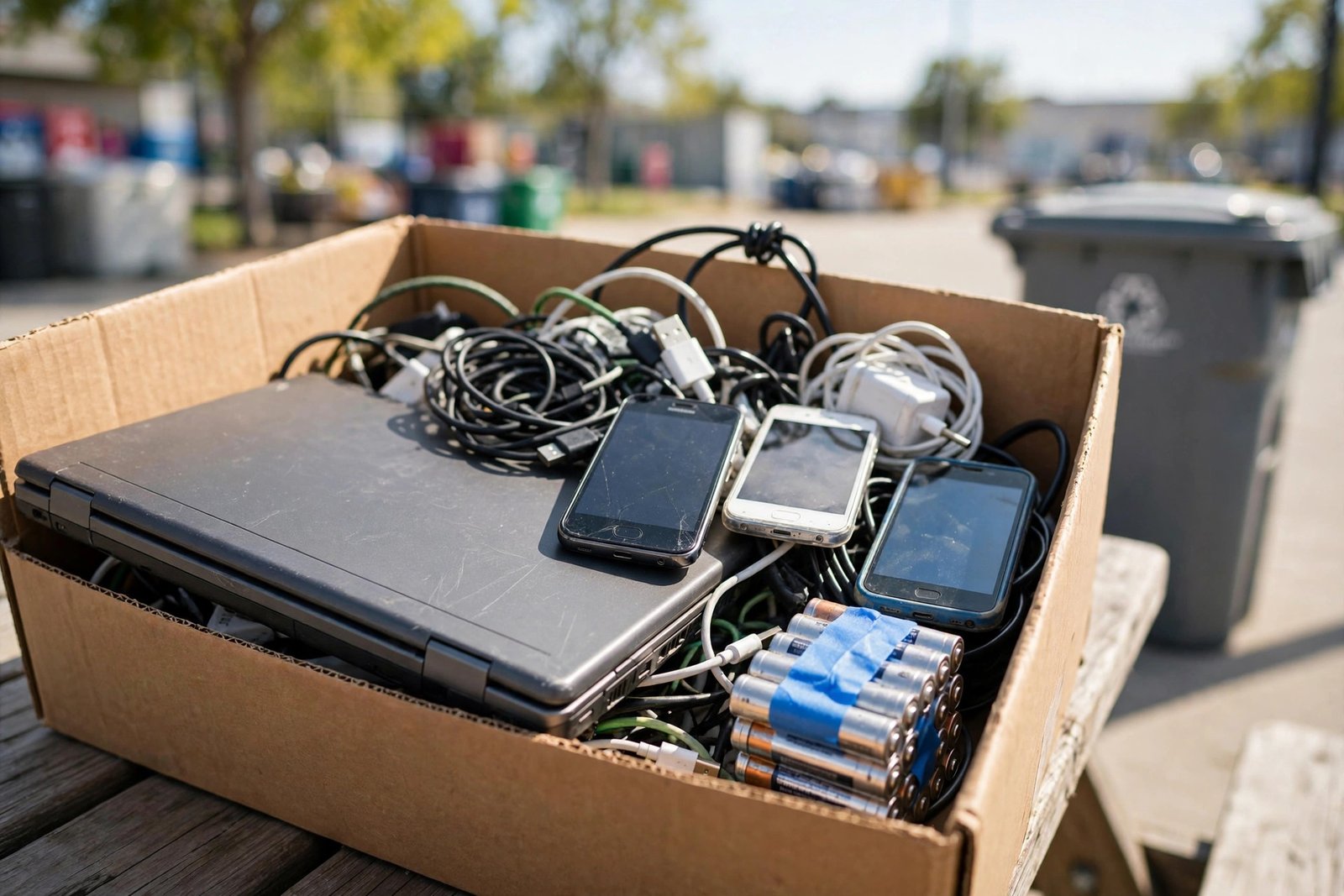
That drawer of dead phones, the ancient laptop with a cracked screen, the tangle of chargers for devices you no longer own — California households are sitting on a small mountain of electronic waste, and most of it is handled wrong. Electronics contain lead, mercury, cadmium, and lithium batteries that can start fires in garbage trucks. Tossing them in the trash is illegal in California, and has been since 2006. The good news: recycling e-waste safely is easier than most Californians think, and some of it can even earn you money.
California generates hundreds of thousands of tons of e-waste annually, and the state’s Electronic Waste Recycling Act created one of the most robust collection systems in the country. This guide covers what counts as e-waste, where to take it across the state, how to protect your data before you hand anything over, and how to handle the tricky items like batteries and CRT monitors.
What Counts as E-Waste in California (and Why It Matters)
California law bans a specific list of electronics from landfills: televisions, computer monitors, laptops, tablets, and anything containing a cathode-ray tube (CRT). But “covered electronic waste” under the state’s program extends further — and even items not explicitly banned, like phones, printers, and small appliances, should never go in the trash because of their batteries and heavy metals.
Lithium-ion batteries deserve special attention. Punctured or crushed, they cause thermal runaway — the technical term for the fires that have plagued California waste facilities in recent years. Never put anything with a rechargeable battery in your curbside bins. Tape the terminals of loose batteries with clear packing tape before storing them, and keep damaged or swollen batteries in a non-flammable container away from other materials until you can drop them off. Before recycling a phone or laptop, factory-reset your phone — the same wipe process protects you whether you sell, donate, or recycle.
Where to Recycle Electronics Across California
California’s system gives you more options than almost any other state. Start with CalRecycle’s searchable directory of authorized e-waste collectors — hundreds of sites statewide accept covered devices free of charge. The EPA’s electronics donation and recycling overview explains the national framework behind the state program. Many are the same retailers you already visit: Best Buy accepts most small electronics (up to three items per day per household) regardless of where you bought them, and Staples runs a similar program.
For larger items like CRT televisions and monitors, look for municipal collection events or permanent household hazardous waste (HHW) facilities — every California county operates them, and drop-off is free for residents. Some cities offer curbside e-waste pickup by appointment; check your waste hauler’s website. If you are upgrading rather than junking, consider refurbished options first — our guide on buying a refurbished phone shows how to extend a device’s life before it becomes waste at all.
Wipe Your Data Before Anything Leaves Your Hands
This is the step people skip, and it is the one that matters most. A recycled laptop with your tax returns, passwords, and family photos intact is a data breach waiting to happen. For computers, use the manufacturer’s secure erase or a dedicated wiping tool that overwrites the drive — a simple “delete” or quick format does not actually remove data. For phones and tablets, encrypt the device first, then run the factory reset, then (for extra caution on Android) load large junk files and reset again to overwrite the old data blocks.
Remove SIM cards and memory cards — they are yours to keep or destroy, and recyclers do not need them. For devices that will not power on, physical destruction of the storage drive is the gold standard: remove the hard drive or SSD and take it to a facility with a drive shredder, or drill through the platters of a traditional hard drive. Keep a simple log of serial numbers and the facility you used; if a device contained business or financial data, that paper trail is worth its weight.
The Tricky Items: Batteries, Bulbs, and CRTs
Not all e-waste follows the same path. Rechargeable batteries (lithium-ion, Ni-Cd) go to battery-specific collection — many hardware stores and big-box retailers host Call2Recycle drop boxes near the entrance. Single-use alkaline batteries can go in the trash in most California jurisdictions, but recycling them is still better; check your county HHW program.
Compact fluorescent bulbs (CFLs) contain mercury and must go to HHW collection — never the trash. LED bulbs contain no mercury but have electronic components worth recycling; many retailers accept them. CRT monitors and televisions are the heaviest lift: they contain several pounds of leaded glass each, so transport them carefully (screen-down, padded) to an HHW facility or e-waste event. Never attempt to dismantle a CRT yourself — the tube can implode and the components carry high-voltage charge long after unplugging.
Can You Get Paid for E-Waste?
Sometimes. California’s program pays authorized recyclers a per-unit fee for covered devices, which is why consumer drop-off is free — but that payment goes to the collector, not you. Your money comes from elsewhere: trade-in programs (Apple, Samsung, carriers) offer credit for working devices; buyback sites pay cash for recent phones and laptops; and precious-metal recovery means even dead devices have scrap value at specialized buyers.
The real economics favor reuse over recycling. A three-year-old laptop that feels slow might need only an SSD upgrade and a fresh OS — far cheaper than replacement and infinitely better environmentally. Our breakdown of repairing vs. replacing a five-year-old laptop walks through that math. When a device is truly dead, recycle it properly and quickly — stockpiled e-waste loses recoverable value and increases fire risk the longer it sits.
Conclusion
Recycling electronics safely in California comes down to four habits: never trash anything with a battery or screen, wipe your data before devices leave your hands, use the state’s free collection network (retailers, HHW facilities, and CalRecycle’s directory), and handle batteries and CRTs with the extra care they demand. Clear out that dead-device drawer this month — you will reclaim space, protect your data, keep toxic materials out of landfills, and maybe pocket some trade-in credit. The system California built only works if people use it.
Donating vs. Recycling: The Better First Step
Before recycling, ask whether the device deserves a second life — reuse beats recycling environmentally every time. Working phones, tablets, and laptops can go to domestic-violence shelters, schools, or refurbishers; many nonprofits wipe data professionally and provide tax receipts. Even “dead” devices often have value: repair shops buy cracked-screen phones for parts, and e-waste buyers pay for circuit boards by the pound. The hierarchy is simple: use it longer, then donate it, then recycle it. Every year you extend a device’s life avoids the manufacturing footprint of its replacement — roughly 80% of a phone’s lifetime carbon emissions come from production, not use. When nothing else is possible, recycle through the channels above knowing the materials genuinely re-enter the supply chain.
Frequently Asked Questions
Is it actually illegal to throw electronics in the trash in California?
Yes. Since 2006, California law prohibits disposing of TVs, monitors, and other covered electronic devices in landfills. Violations can carry fines, and waste haulers may refuse contaminated bins.
Where can I recycle a CRT TV in California?
County household hazardous waste (HHW) facilities accept CRTs free from residents, as do periodic e-waste collection events. Search CalRecycle’s directory for authorized collectors near you.
Do I need to remove the battery before recycling a laptop?
Most e-waste collectors accept whole laptops and handle battery separation themselves. Tape over any exposed or swollen battery terminals and transport the device intact rather than prying it open.
How do I recycle electronics with personal data on them?
Encrypt then factory-reset phones; secure-wipe or physically destroy computer drives; remove SIM and memory cards. For dead devices, remove the drive and have it shredded at a certified facility.