 By admin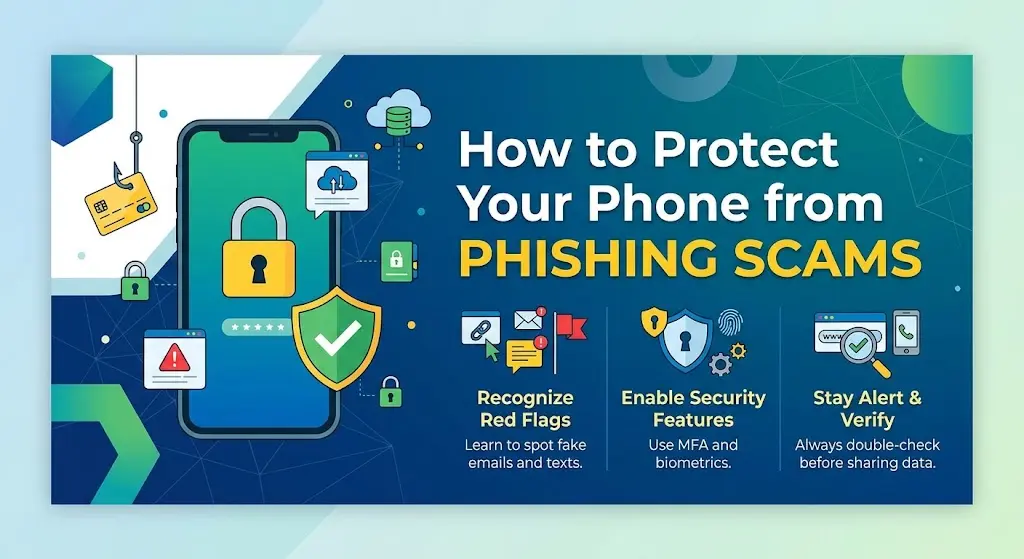
Your smartphone holds a huge amount of personal information, including emails, photos, banking apps, passwords, contacts, and private messages. That makes phones an attractive target for scammers.
One of the most common threats is phishing. A phishing scam is designed to trick you into giving away sensitive information, clicking a dangerous link, downloading malicious software, or sending money to a scammer.
The good news is that you do not need to be a cybersecurity expert to protect yourself. By following a few simple habits, you can significantly reduce your risk of becoming a victim.
In this guide, we will explain how to protect your phone from phishing scams in the USA, how to recognize suspicious messages, and what to do if you accidentally click a phishing link.
What Is a Phone Phishing Scam?
Phone phishing happens when a scammer pretends to be a legitimate person or organization and tries to convince you to reveal sensitive information.
Scammers may impersonate:
- Banks and credit card companies
- Delivery companies
- Government agencies
- Mobile phone providers
- Online stores
- Social media platforms
- Streaming services
- Employers
- Friends or family members
A scammer might send you a text message claiming that your bank account has been locked or that a package cannot be delivered. The message may include a link asking you to “verify” your information.
The goal is usually to steal your password, credit card information, Social Security number, account credentials, or money.
How to Protect Your Phone From Phishing Scams
1. Do Not Click Suspicious Links
One of the easiest ways to avoid mobile phishing scams is to avoid clicking links in unexpected text messages and emails.
For example, you might receive a message saying:
“Your package could not be delivered. Confirm your address immediately.”
The message may contain a link that looks like it belongs to a delivery company. Instead of clicking it, open the company’s official website or app yourself and check your account.
Never let an urgent message pressure you into clicking a link.
2. Verify Who Sent the Message
Scammers often pretend to be companies or people you trust.
Before responding, ask yourself:
- Was I expecting this message?
- Does the sender’s phone number look familiar?
- Is the message asking for personal information?
- Is there an unusual link?
- Does the message contain strange spelling or grammar?
- Is it creating a sense of urgency?
If something feels unusual, contact the organization using a phone number or website you already know is legitimate.
3. Keep Your Phone’s Software Updated
Software updates are important for mobile security because they can fix known security vulnerabilities.
Turn on automatic updates for:
- Your phone’s operating system
- Mobile apps
- Web browsers
- Security software
Whether you use an iPhone or Android phone, keeping your device updated is a simple way to improve your protection against online threats.
4. Use Strong, Unique Passwords
Avoid using the same password for your email, banking, social media, and other accounts.
If a scammer obtains one password and you reuse it elsewhere, several of your accounts could be at risk.
Instead, use a strong and unique password for every important account.
A password manager can also help you create and store different passwords without requiring you to remember all of them.
5. Turn On Two-Factor Authentication
Two-factor authentication, commonly called 2FA, provides an additional layer of security.
With 2FA enabled, logging into an account may require:
- Your password
- A second verification method
The second step could involve an authentication app, security key, or another approved verification method.
Even if a scammer obtains your password through phishing, 2FA can make it harder for them to access your account.
6. Be Careful With Unexpected Text Messages
Smishing is a type of phishing carried out through SMS or other messaging services.
Common examples include messages about:
- Fake package deliveries
- Bank account problems
- Unpaid bills
- Fake refunds
- Account suspension
- Prize notifications
- Toll violations
- Fake job offers
If you receive an unexpected message asking you to click a link or provide information, treat it cautiously.
7. Never Share Verification Codes
A scammer may call or text you and ask for a verification code that was sent to your phone.
They may claim they need the code to:
- Verify your identity
- Unlock your account
- Stop fraudulent activity
- Confirm a payment
Do not give the code to someone who contacted you unexpectedly.
A legitimate company generally will not need you to read a private authentication code back to an unknown caller.
8. Avoid Giving Personal Information Through Text
Do not send sensitive information through an unexpected text message.
This includes:
- Social Security numbers
- Bank account details
- Credit card numbers
- Passwords
- Login codes
- Security answers
- Copies of sensitive documents
If an organization genuinely needs information from you, contact it through an official channel instead of replying to a suspicious message.
9. Check Website Addresses Carefully
Phishing websites often imitate legitimate websites.
A fake website may use a domain name that looks similar to the real one but contains extra words, unusual characters, or misspellings.
For example, a scammer could create a website that visually resembles a bank’s website but uses a completely different domain.
Before entering a password or payment information, carefully check the website address.
10. Use Screen Lock and Device Security
Your phone contains valuable information, so protect the physical device as well.
Use:
- A strong passcode
- Face recognition where appropriate
- Fingerprint authentication where available
- Automatic screen locking
- Device tracking features
If your phone is lost or stolen, these protections can make it more difficult for someone else to access your information.
How to Recognize a Phishing Text Message
Phishing messages often use psychological tricks to make people act quickly.
Watch for phrases such as:
- “Your account will be closed today.”
- “Immediate action required.”
- “Your payment failed.”
- “Click here to avoid a fee.”
- “You’ve won a prize.”
- “Verify your identity now.”
The combination of urgency, fear, curiosity, or a financial reward is a major warning sign.
Take a moment before doing anything.
Instead of following the instructions in the message, independently contact the organization.
What Should You Do If You Accidentally Clicked a Phishing Link?
Don’t panic if you accidentally clicked a suspicious link.
What you should do depends on what happened after clicking it.
If you only opened the page and did not enter any information, close the page and avoid interacting with it further.
If you entered a password, change that password immediately from the legitimate website or app. If you used the same password elsewhere, change it there too.
If you entered banking or credit card information, contact your financial institution using an official phone number and explain what happened.
If you downloaded an unfamiliar app or file, do not open it. Consider removing it and checking your device for suspicious activity.
You should also monitor your important accounts for unusual activity.
How to Report Phishing Scams in the USA
If you are in the United States and receive a suspicious message, you can report it to the appropriate organization.
For example, suspicious text messages can often be reported through your mobile carrier’s spam-reporting process.
You can also report scams to the Federal Trade Commission (FTC) through its official reporting system.
If you have lost money or your identity has been misused, take action quickly and keep records of messages, emails, transactions, and other evidence.
Simple Phone Security Checklist
Use this quick checklist to improve your smartphone security:
- Keep your phone updated.
- Install apps from trusted sources.
- Use strong and unique passwords.
- Turn on two-factor authentication.
- Do not click unexpected links.
- Never share verification codes.
- Check website addresses before entering information.
- Be suspicious of urgent messages.
- Use a secure screen lock.
- Review your bank and online accounts regularly.
- Report suspicious messages instead of responding to them.
Final Thoughts
Learning how to protect your phone from phishing scams in the USA does not require complicated technical knowledge.
The most important habit is to slow down when a message creates urgency or asks for sensitive information. Don’t click unexpected links, don’t share passwords or verification codes, and verify requests through official channels.
Scammers constantly change their methods, but the basic warning signs often remain the same. A few seconds of caution can prevent the loss of personal information, money, or access to an important account.
FAQs
1. How can I protect my phone from phishing scams?
Keep your phone updated, use strong unique passwords, enable two-factor authentication, avoid suspicious links, and never share passwords or verification codes with unexpected callers or messages.
2. What is phishing on a mobile phone?
Mobile phishing is a scam where criminals use text messages, emails, calls, or fake websites to trick you into revealing personal information, account credentials, or financial details.
3. What is smishing?
Smishing is phishing performed through SMS or text messages. Scammers commonly use fake delivery notices, bank alerts, account warnings, and other urgent messages to trick people into clicking malicious links.
4. Should I click a link in a text message from my bank?
If you were not expecting the message, it is safer not to click the link. Instead, open your bank’s official app or manually enter its official website address to check your account.
5. What should I do if I clicked a phishing link?
Close the website and do not enter additional information. If you entered a password, change it immediately through the legitimate website. If you provided financial information, contact your bank or card provider using an official number.
6. Can a phishing scam steal information from my phone?
A phishing scam can potentially lead you to a fake website, malicious download, or fraudulent app designed to steal information. The risk depends on what you clicked, downloaded, or provided.
7. How do I know if a text message is a scam?
Be suspicious if a message is unexpected, creates extreme urgency, asks for sensitive information, contains a suspicious link, promises a reward, or threatens account closure or a fee.
8. Is two-factor authentication useful against phishing?
Yes. Two-factor authentication provides an additional security layer. However, you should still be careful because sophisticated scams can attempt to trick users into revealing authentication codes.
9. Should I reply to a suspicious text message?
It is generally better not to engage with suspicious messages. Do not provide personal information or click links. Use your carrier’s reporting or blocking options when appropriate.
10. Where can I report a phishing scam in the USA?
You can report many types of scams to the U.S. Federal Trade Commission and follow guidance from your mobile carrier, financial institution, or the organization being impersonated.