
 By admin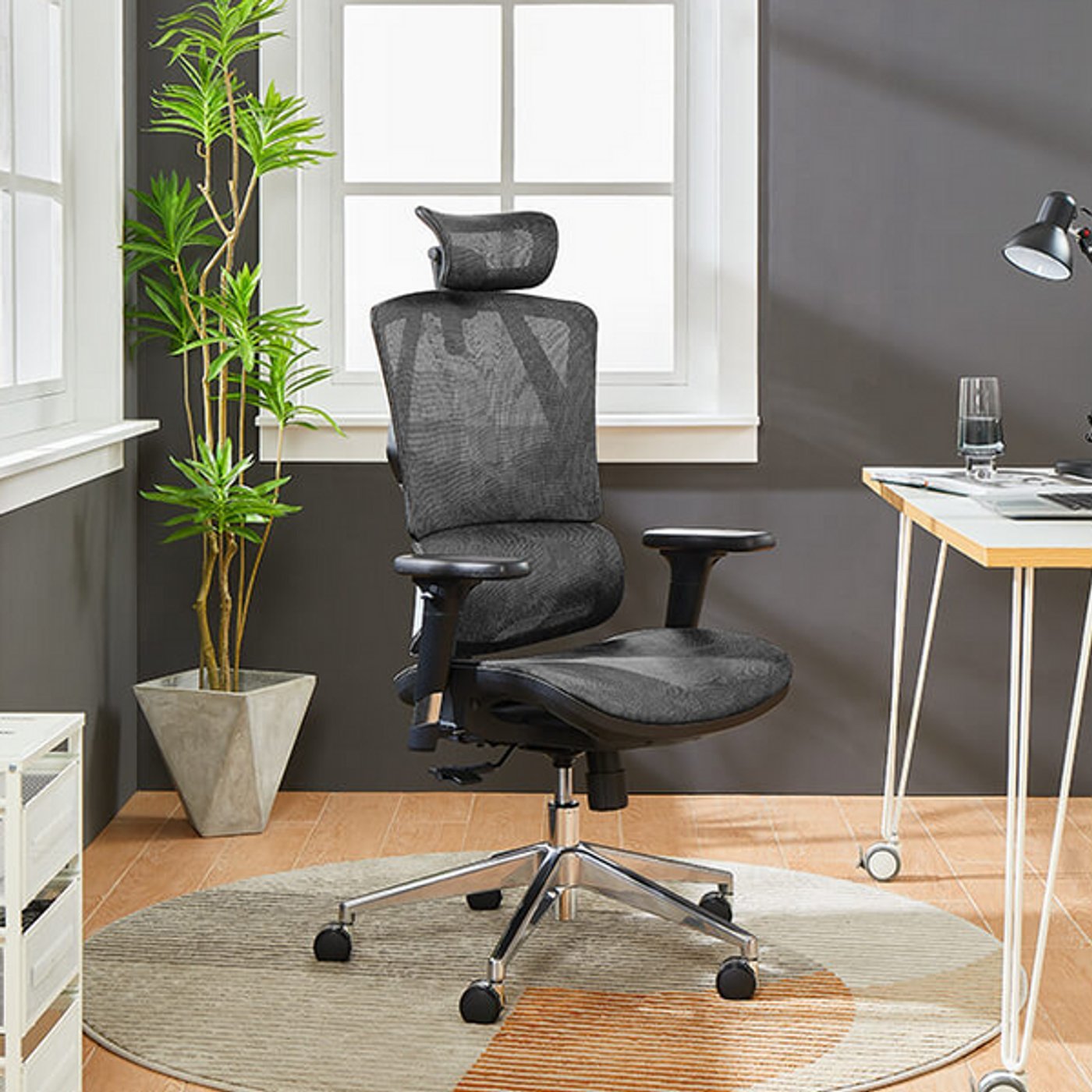
Your back hurts by 3 PM. You’ve tried cushions, you’ve tried standing, and you’re now seriously considering whether that $89 gaming chair from the internet is a good idea. (It’s not.) A good office chair is the highest-ROI purchase a remote worker can make — you spend 2,000+ hours a year in it. Here’s what to spend and what actually matters.
How much should I spend on a good office chair for remote work?
$150–$300: the minimum viable chair. This is the floor for something that won’t hurt you. Chairs in this range (like the HON ValuTask or used Steelcase Leap v1) offer basic lumbar support, adjustable height and armrests, and build quality that survives daily use. Below $150, you’re buying disposable furniture — the “lumbar support” is a decorative pillow and the gas cylinder has a 50/50 chance of sinking within a year.
$300–$600: the sweet spot. This is where genuinely good chairs live. You get adjustable lumbar depth, seat depth adjustment, quality mesh or foam, and warranties of 5–12 years. The Branch Ergonomic Chair, HON Ignition 2.0, and refurbished Herman Miller Aerons (yes, really — see below) dominate this range. For most remote workers, this tier is the right answer.
$600–$1,200+: the investment tier. Herman Miller Aeron, Steelcase Leap v2, Haworth Fern. These are the chairs from fancy offices, engineered over decades, with 12-year warranties. They’re magnificent — but diminishing returns kick in hard past $600 for most bodies. Worth it if you have specific back issues or simply want the last chair you’ll buy for a decade.
The Used Market: The Best Deal in Office Furniture
Here’s the insider trick: office liquidators sell used Herman Miller Aerons and Steelcase Leaps for $250–$450 — chairs that cost $1,000+ new. When companies downsize or go remote, their furniture floods the secondary market. Check Craigslist, Facebook Marketplace, and local office furniture liquidators. What to check: gas cylinder holds (sit and bounce), armrests adjust smoothly, mesh/fabric has no tears, and all levers work. A 10-year-old Aeron with new-ish mesh will outlast and outperform any $200 Amazon chair. This is genuinely the best value in the entire category.
Features That Actually Matter (vs. Marketing Fluff)
- Adjustable lumbar support (depth, not just height): The single most important feature. Everyone’s spine curve differs; fixed lumbar is a gamble.
- Seat depth adjustment: If you’re tall or short, this determines whether the seat supports your thighs or cuts off circulation behind your knees.
- Adjustable armrests (height + width + depth): Your shoulders should be relaxed, elbows at ~90 degrees. Fixed armrests force bad posture.
- Quality casters: Cheap casters shred floors and roll like shopping carts. Rollerblade-style wheels ($25 upgrade) glide on any surface.
- Marketing fluff to ignore: “Racing style,” massage functions, built-in speakers, and “ergonomic” labels on $99 chairs. Lumbar “pillows” strapped to the backrest are a red flag — real ergonomic chairs build support into the design.
OSHA’s ergonomics resources back up the fundamentals: neutral posture, supported lower back, and feet flat are what prevent injury, not gimmicks.
Don’t Forget the Rest of the Setup
A great chair can’t fix a terrible desk setup. The ergonomic trinity: monitor at eye level (top of screen at or slightly below eye height — a $30 monitor stand or stack of books), keyboard and mouse at elbow height with wrists neutral, and feet flat on the floor (a $20 footrest if your chair’s lowest setting still leaves feet dangling). A $400 chair with a laptop flat on a kitchen table still hurts — pair the chair with a laptop stand and external keyboard. Our guide to noise cancelling headphones for working from home covers the other half of the remote-work comfort equation, and organizing cables behind your desk keeps the whole setup clean.
Try Before You Buy (Really)
Chairs are personal — what fits a 6’2″ person torments a 5’3″ one. If possible, visit an office furniture store and sit in contenders for at least 15 minutes (5 minutes tells you nothing). Check return policies obsessively when buying online; a 30-day return window is essential because a chair that feels fine for an hour can hurt by day three. And measure your space — a big executive chair in a tiny apartment corner is its own misery.
Gaming Chairs: The Honest Verdict
Let’s address the racing-style gaming chair in the room. They’re popular, they look cool on stream, and most are terrible for actual work. The bucket-seat design forces your shoulders forward, the “lumbar pillows” are a poor substitute for real adjustable support, and the materials (cheap PU leather) peel within two years. They’re designed to look fast, not to support a spine for eight hours. There are exceptions — some $400+ gaming chairs from reputable brands are genuinely decent — but dollar for dollar, a boring-looking ergonomic office chair beats a flashy gaming chair every time. Buy the chair for your back, not for your stream background.
Standing Desks: Do You Need One Too?
The research on standing desks is mixed but leans positive for one thing: alternating between sitting and standing reduces back pain and afternoon energy slumps. You don’t need a $600 electric desk — a $150–$250 manual or pneumatic sit-stand converter on your existing desk works fine. The key insight from ergonomics research: it’s the changing positions that helps, not standing all day (which brings its own problems — foot, knee, and vein issues). If your budget covers only one upgrade, the chair comes first; add sit-stand capability second. And whatever you do, get an anti-fatigue mat if you stand — concrete-hard floors punish standing workers fast.
The Warranty Tells You Everything
Here’s a shopping shortcut: check the warranty length. A 12-year warranty (Herman Miller, Steelcase) means the company expects the chair to last 12 years — the engineering backs it up. A 1-year warranty on a $180 chair means they expect it to survive roughly one year. Warranty length is the most honest spec on the page because it costs the manufacturer real money to honor. When comparing two similarly priced chairs, the longer warranty almost always indicates the better-built product. It’s the rare case where reading the fine print directly answers “is this any good?”
The Bottom Line
Spend $300–$600 for the sweet spot, or hunt a used Herman Miller/Steelcase for $250–$450 — the best value in office furniture. Prioritize adjustable lumbar depth, seat depth, and armrests over looks. And remember the chair is one piece: monitor height, keyboard position, and foot support matter just as much for ending the 3 PM back pain.
[…] soft furnishings do more for call quality than a headphone upgrade. Pair good audio with a solid office chair setup and reliable internet speed for working from home, and your home office genuinely rivals a […]