
 By admin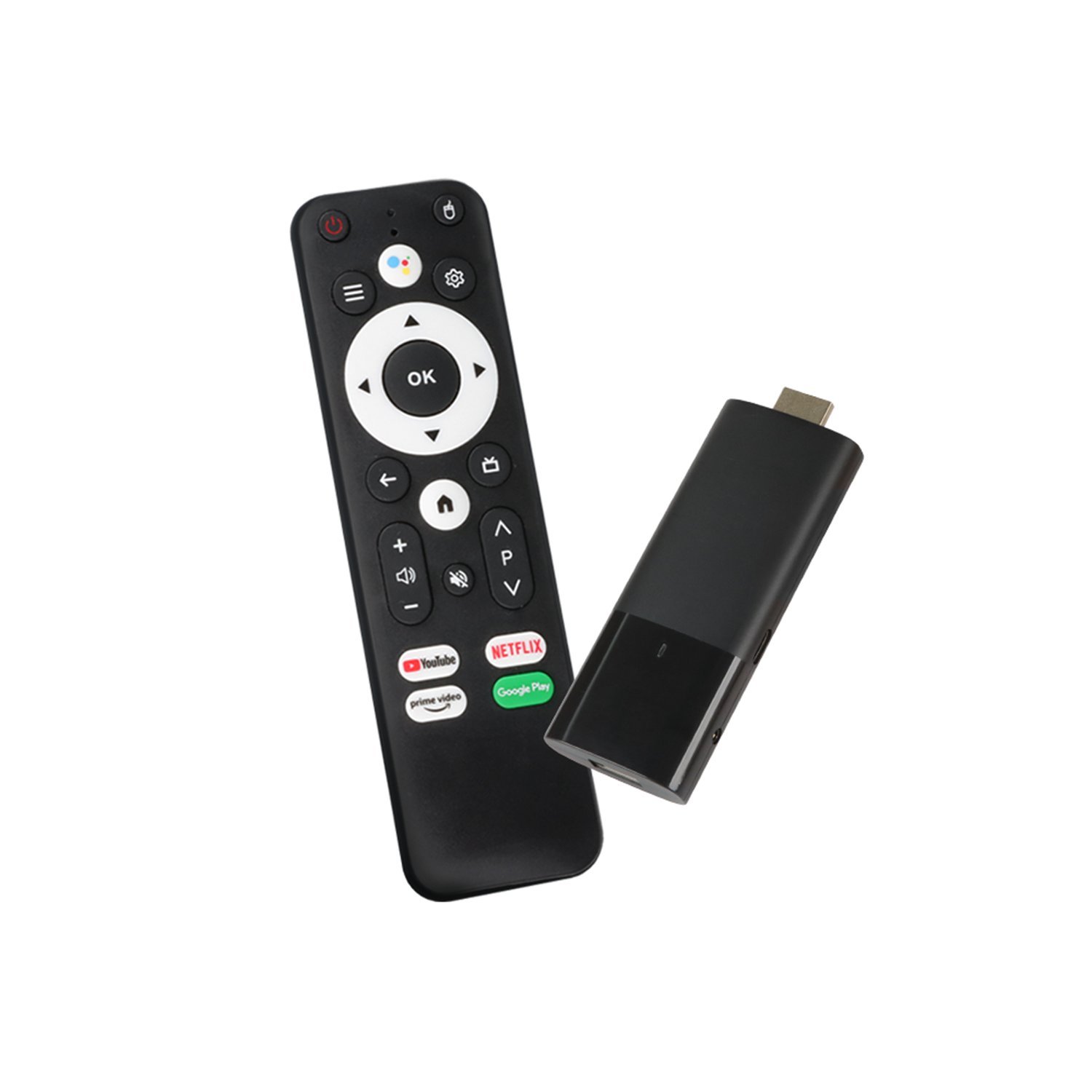
Your TV works fine — great picture, no dead pixels — but its “smart” features died years ago when Netflix dropped support, and the interface moves like molasses. Don’t replace the TV. A $30–$100 streaming device gives any old TV a modern brain: every app, fast interface, and often better WiFi than the TV ever had. Here’s which one to buy.
Which Streaming Device Is Best for an Older TV? It Depends on Your TV
First, check what your TV supports. HDMI port? (Any TV from ~2008 onward has at least one.) Then any modern streaming stick works. Only component/composite (red-white-yellow cables)? You’re limited — an HDMI-to-composite converter ($15–$20) plus a streaming stick can work, but at that point the TV is really due for retirement. 1080p vs. 4K TV? Don’t pay for a 4K stick on a 1080p TV — the HD versions cost less and perform identically on your screen. Match the device to the TV, not to your aspirations.
The Contenders, Honestly Ranked
Roku Express 4K+ (~$40): The best pick for most older TVs. Dead-simple interface your grandparents can use, every major app, no tech-giant agenda pushing its own content. The remote is simple, it sips power via USB, and Roku’s neutrality (no Amazon/Apple/Google favoritism) means the best app availability. For a bedroom or kitchen TV, this is the answer. Roku’s lineup is refreshingly straightforward.
Amazon Fire TV Stick 4K (~$50, often $30 on sale): Best if you’re deep in Amazon’s ecosystem (Prime Video, Alexa, Ring). Interface pushes Amazon content hard, which annoys some people, but the hardware is excellent and sale prices are unbeatable. Alexa voice remote is genuinely useful. Amazon’s Fire TV page lists current models and frequent deals.
Chromecast with Google TV (~$50): Best for Google households and YouTube TV subscribers. The Google TV interface aggregates content across services nicely (“show me comedies” searches everything at once). Also the best choice if you cast from your phone a lot.
Apple TV 4K (~$130–$150): Overkill for most old TVs, but the best interface, fastest performance, no ads on the home screen, and excellent privacy. Worth it if you’re all-in on Apple and want the premium experience — or if the old TV is actually a good panel deserving good brains.
Onn 4K Pro (~$50 at Walmart): The sleeper pick — Google TV, good performance, hands-free voice, and a remote with a customizable button, for half the price of big-brand equivalents. Walmart’s house brand has quietly become the value king.
What About the TV’s Built-In Apps?
Use the streaming stick for everything and ignore the TV’s smart features entirely — set the TV to power on directly to the HDMI input. This also solves the “TV keeps disconnecting from WiFi” problem many old smart TVs develop: connect only the stick to WiFi and leave the TV offline. Our guide on fixing smart TV WiFi disconnects covers this workaround in detail — a streaming stick is often the real fix, not just a patch.
Setup Tips for Older TVs
- Power: Plug the stick into a wall outlet, not the TV’s USB port — old TV USB ports often don’t supply enough power, causing random reboots.
- HDMI port: Use HDMI 1 if your TV has ARC/CEC labeled ports — CEC lets the streaming remote control TV power and volume, so you only need one remote.
- Picture settings: Old TVs often default to overscan (zoomed-in picture). Find the aspect/picture size setting and choose “Just Scan,” “Full Pixel,” or “16:9” until the streaming interface fits edge-to-edge.
- Audio: If sound is thin, a $30–$100 soundbar transforms old TVs more than any picture tweak. The stick + soundbar combo makes a 2012 TV feel surprisingly modern.
When the Old TV Is Actually Done
A streaming stick can’t fix: a dimming backlight, dead pixels spreading, HDMI ports failing, or a TV so old it lacks HDMI entirely. If you’re fighting hardware failures, put the $50 toward a new TV fund — decent 43″ 4K TVs now sell for $200–$280 on sale, and the picture quality leap from a 2010 LCD is staggering. But if the panel is healthy and it’s just the “smart” that’s dumb, the stick buys you years. And for bedroom movie nights without any network fuss, mirroring your phone to the TV without WiFi is another handy trick.
Streaming Stick vs. Smart TV Box: Does Form Matter?
Sticks (Fire TV Stick, Roku Streaming Stick, Chromecast) plug directly into HDMI and hide behind the TV — cheapest and tidiest. Boxes (Apple TV 4K, Roku Ultra, Fire TV Cube, Nvidia Shield) sit on the shelf — faster processors, more storage, Ethernet ports, and better for gaming. For an older TV, a stick is almost always the right call: the TV is the bottleneck, not the streaming hardware, and the stick’s performance is plenty. Boxes make sense only if the old TV is actually a high-end panel (a 2015 flagship plasma or OLED, say) that deserves better, or if you want Ethernet and local media server features. Don’t overthink it — stick wins for old TVs 90% of the time.
Cutting Cable Entirely: The Math
Many people buy a streaming stick as the first step to ditching cable. The math usually works: YouTube TV / Hulu Live / Sling ($40–$83/month) plus a couple of subscriptions still undercuts most cable bills ($100–$200+), especially once you factor in cable’s box rental fees and broadcast surcharges. Audit what you actually watch for a month before switching — most households discover they regularly watch 5–8 channels. An antenna ($25–$40) adds free local channels in HD, covering the broadcast networks live sports need. The streaming stick isn’t just a TV upgrade; it’s often the gateway to cutting $1,000+/year from the cable bill.
The Bottom Line
Roku Express 4K+ for simplicity, Fire TV Stick 4K for Amazon households (especially on sale), Chromecast for Google homes, Apple TV 4K for the premium experience. Power it from the wall, enable HDMI-CEC for one-remote control, and ignore your TV’s built-in apps forever. $40 well spent.