
 By admin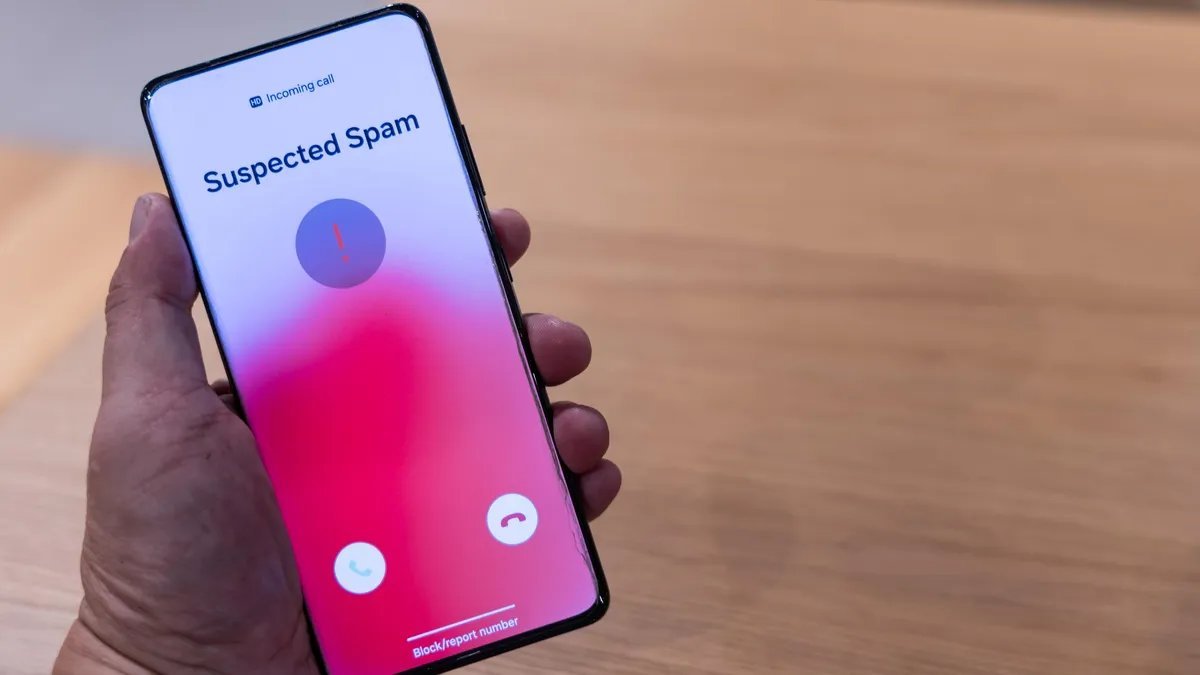
Your phone rings. Unknown number. You answer — silence, then a recorded voice about your car’s extended warranty. Again. Americans got billions of robocalls last year, and while we’ll probably never reach zero, you can cut the flood down to a trickle with the right combination of built-in tools and free services. Here’s what actually works, ranked by effort.
How can I stop spam calls on my cell phone?
Both iPhone and Android now ship with surprisingly good spam filtering — most people just never turn it on.
On iPhone: Go to Settings > Phone > Silence Unknown Callers. This sends any number not in your contacts straight to voicemail. Legitimate callers can still leave a message; robocallers almost never do. It’s aggressive but remarkably effective — most users report a 70–80% drop overnight. A gentler option: Settings > Phone > Call Blocking & Identification lets you enable your carrier’s spam filter (more on that below) so suspected spam still rings but shows a warning label.
On Android: Open the Phone app > Settings > Caller ID & Spam, and turn on “Filter spam calls.” Pixel phones go further with Call Screen — Google Assistant answers unknown callers for you and shows you a live transcript so you decide whether to pick up. It’s the single best spam-fighting feature on any phone, and it’s free.
Turn On Your Carrier’s Free Spam Protection
All three major US carriers offer free network-level spam blocking, and it catches calls before they even reach your phone:
- T-Mobile: Scam Shield — free, enabled via the Scam Shield app or by dialing #662#. Includes scam likely warnings and a free second number.
- AT&T: ActiveArmor — free tier blocks suspected fraud calls automatically; the app adds more controls.
- Verizon: Call Filter — free basic version detects and filters spam; a paid tier adds caller ID.
If you’re on an MVNO (Mint, Cricket, Visible, etc.), you usually inherit the parent network’s blocking — check your carrier’s app. The FCC’s guide to stopping robocalls confirms these tools are the first line of defense regulators recommend.
Register on the Do Not Call List (Yes, Still Worth It)
Head to donotcall.gov and register your number. It won’t stop scammers — criminals don’t follow rules — but it legally bars legitimate telemarketers, and it gives you standing to report violations. Registration is free, takes two minutes, and never expires. Think of it as locking your front door: it won’t stop a determined burglar, but it stops the casual ones.
Third-Party Apps Worth Installing
If built-in tools aren’t enough, these free apps add another layer: Hiya and Truecaller maintain massive crowdsourced spam databases and label incoming calls in real time. RoboKiller goes further with “answer bots” that waste telemarketers’ time — entertaining and oddly satisfying. One caution: these apps request access to your contacts and call logs to function. Read their privacy policies and decide if the trade-off works for you. Our guide on stopping apps from tracking your location covers the broader privacy hygiene worth practicing alongside.
Stop Feeding the Spammers
Here’s the uncomfortable truth: a lot of spam starts with us. Every time you enter your real number on a sketchy contest form, a “free quote” site, or a data-broker quiz, it gets sold. Protect yourself going forward:
- Use a Google Voice number for online forms, deliveries, and anything public.
- Never answer unknown calls and never press any number “to opt out” — that just confirms your number is live and gets you more calls.
- Don’t reply STOP to spam texts from unknown senders unless you’re sure they’re a legitimate business; for pure spam, report and delete.
- Remove your number from data broker sites when you can — or use a removal service if the manual process overwhelms you.
Report the Ones That Get Through
Reporting feels pointless, but it genuinely helps regulators spot patterns and take down operations. Forward spam texts to 7726 (SPAM) — your carrier uses these reports to improve filters. File complaints at the FTC’s consumer site for persistent offenders. Each report adds to the enforcement picture.
What About Spam Texts and Email?
Calls are only half the battle. For text spam, your phone’s messaging app can filter unknown senders (iPhone: Settings > Messages > Filter Unknown Senders; Android varies by app). For the email side of the spam war, see how to tell if your email has been hacked — compromised accounts are a common spam source people overlook.
Protecting Elderly Relatives From Phone Scams
Spam calls aren’t just annoying — for older adults, they’re dangerous. Scammers specifically target seniors with “grandparent scams” (a panicked voice claiming to be a grandchild in trouble), fake IRS threats, and Medicare fraud calls. If you have elderly parents or grandparents, help them directly: enable Silence Unknown Callers on their phone, add family numbers to contacts, and have the conversation — “no legitimate organization demands gift cards or wire transfers over the phone, ever.” Consider setting their voicemail greeting to say calls from unknown numbers won’t be answered. And put their number on the Do Not Call list for them. The FTC’s consumer site has excellent plain-language resources specifically about scams targeting older adults that are worth sharing at the next family gathering.
When Nothing Works: The Nuclear Options
Done everything and still getting hammered? A few last resorts: change your voicemail greeting to the “disconnected number” tone trick (search for the SIT tone — some people swear it gets their number dropped from robocall lists, though results vary). More reliably, get a second number via Google Voice (free) and gradually migrate your real number to “family only” status — give the Google Voice number to businesses, forms, and acquaintances. If you’re getting threatening or harassing calls specifically, document everything and file a police report; carriers can trace and block at the network level for harassment cases. It’s more effort, but for targeted harassment it’s the right call.
The Bottom Line
The winning formula: enable Silence Unknown Callers (or Android’s spam filter), activate your carrier’s free blocking, register on the Do Not Call list, and stop handing your real number to every website that asks. No single step eliminates spam, but stacked together they turn a daily nuisance into a rare annoyance.